
Create GIF from Video Linux with Domenico
Create GIFs from video on Linux instantly with Domenico — a simple FFmpeg-powered GUI that converts short video clips into high-quality animated GIFs in just a few clicks.
Domenico is built for Linux, with a cross-platform JAR version available for systems running Java.
SHA256 (Domenico.zip):
dbd97ab53c914ad2792ba461867aa7a7f75e66fb186c6a855c0c00b40f9ca1b6
SHA256(DomenicoJar.zip): b6b83b4598ed0cf4fe221b55a276c789faff84e2b2a7503e6ac8dd708d942c26
⚠️ Having Trouble Launching?
If the AppImage doesn’t start, your system may be missing FUSE.
Fix (quick):
Fedora:
sudo dnf install fuse fuse-libs
Ubuntu / Mint
sudo apt install libfuse2
Arch:
sudo pacman -S fuse2
👉 After installing, try launching again.
Free • No ads • No third-party installers • Runs locally • Optional desktop menu integration
Domenico is also available as a standalone JAR for users who already have Java installed. This version runs on Linux, Windows, and other platforms with a compatible Java runtime.
For the easiest Linux experience, use the main download. For portability across systems, use the JAR version.
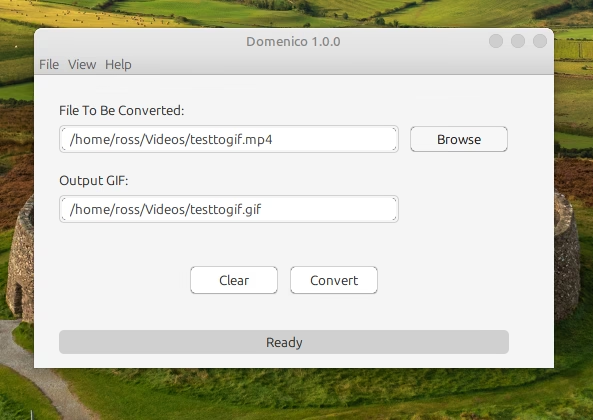
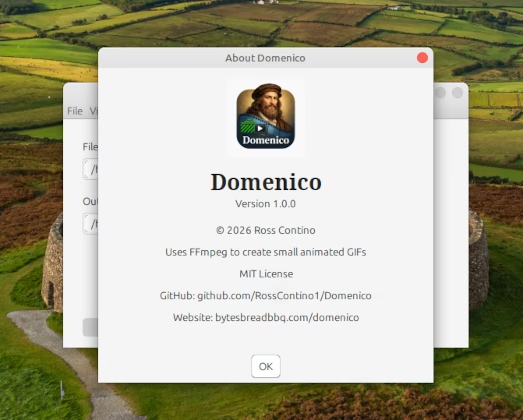
“Why Domenico?”
👉 Domenico is a lightweight FFmpeg GUI designed to create GIFs from video on Linux quickly and easily.
🎞 Convert short clips to GIF instantly on Linux
🖱 No FFmpeg commands to remember
⚡ Optimized for clips under 10 seconds
🔁 Perfect for social media, README demos, and tutorials
Why Not Use FFmpeg to Create GIFs from Video on Linux?
FFmpeg is powerful — but creating GIFs from video on Linux often requires long, complex commands.
To get high-quality results, you need to generate a color palette, apply it correctly, and tweak settings like frame rate and scaling. This can be time-consuming and frustrating, especially for short clips.
Domenico removes that complexity.
With a simple interface, you can convert video to GIF on Linux in just a few clicks — no command-line knowledge required. Domenico automatically handles palette generation and optimization so you get clean, efficient GIFs every time.
What Is Domenico?
Domenico is a Linux desktop application that allows you to create GIFs from video without using complex FFmpeg commands. It provides a simple graphical interface for converting short video clips into optimized animated GIFs, making it ideal for developers, creators, and anyone working with visual content.
“What Can You Use It For?”
GitHub README animations
YouTube Shorts previews
App demos
Social posts
Tutorials
⚙️ How It Works (Simple)
Select video
Choose clip (under 10s)
Click convert
Done
Who Is This For?
Linux users who want a simple way to create GIFs from video
Developers creating README animations
Content creators making short visual clips
Anyone who wants an FFmpeg GUI for GIF creation
A Little History Of GIF
FAQ
Can Domenico create GIFs without using FFmpeg commands?
Yes, Domenico provides a simple GUI so you don’t need to remember FFmpeg syntax.
Is Domenico available as a JAR?
Yes, a cross-platform JAR version is available for systems with Java installed.
Does Domenico work best for short clips?
Yes, Domenico is optimized for clips under 10 seconds for fast GIF creation.
“Part of the Leonardo Toolkit”
Domenico is designed as a companion to Leonardo
Use Leonardo for full video conversion
Use Domenico for quick GIF creation
Save & Direct Download
This file is hosted directly on Bytes, Bread, and BBQ. No ads, no installers, and no third-party download wrappers — just the application as intended.
Built and maintained as an independent project. If it saves you time, it’s doing its job.